Thursday, January 19, 2017

Great Example of Social Change with Design!!!!

Check out the design of this website and notice how they use VISUAL information to get the message to you!!!

http://theamplifierfoundation.org/


Thursday, January 5, 2017

What if the MASK didn't MOVE?

Here is another twist on the creation of movement with masks..... move the image, not the mask!

Here are some interesting examples to see 

PANNING SAMPLE

TIMING EXAMPLE

LOOPING EXAMPLE

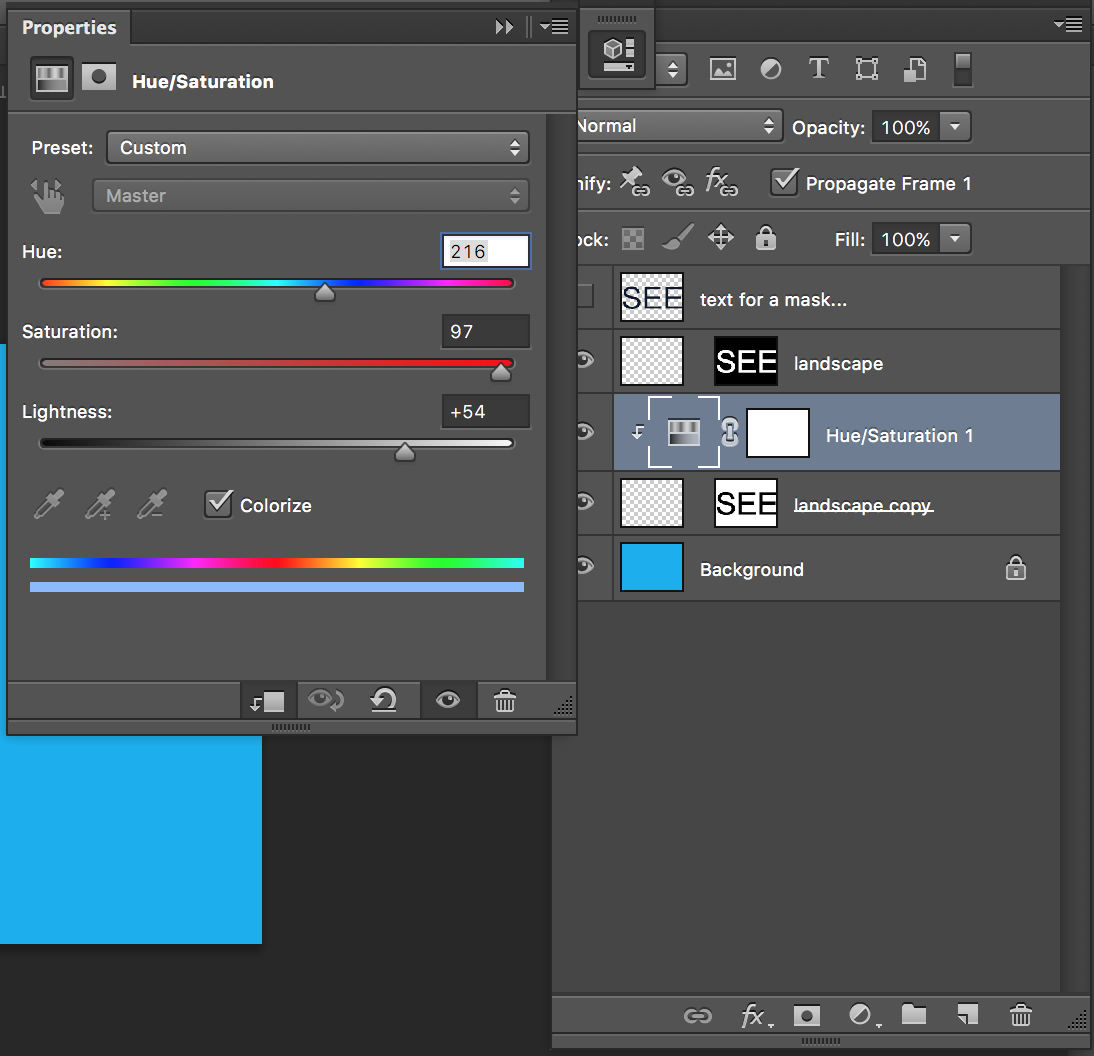
See how I used type to make a mask?


I made a separate background image that was triple the width of my movie....


I even used Adjustment Layers to change the color of the image....


The MOVIE!!!!


Thursday, December 22, 2016

Metamorphose with Animation!

Here is the link to Animation info.....

http://digidesignone.blogspot.com/2015/05/animation.html

EXAMPLES of Illustration with images.....

http://www.nytimes.com/interactive/2015/12/31/opinion/the-year-in-illustration.html?_r=0

 PHOTOSHOP  Tools We will Use.....

Source image of Putin....


Layers with masks... Notice the Mask is not LINKED!!!


 Used a filter on the mask to make it have VISUAL TEXTURE!


Here is the Animation!!!

Tuesday, December 20, 2016

InDesign Links

Follow this link to more info- http://digidesignone.blogspot.com/2014/12/learning-indesign.html

Mimic a FOUR PAGE layout from an existing magazine.

Post images of the origional pages to your blog....

Apply these ideas to your work:

Page Layout/Spreads
Columns
Pictures
Place holder text
Drop Caps
Text wrap
Linked text boxes

Monday, December 12, 2016

Post the "Textures with Photoshop Design"

Post screenshots of your completed image AND of the layers tool.

Explain your work by writing answers to these questions:

1. Which filter, layer blend, or adjustment layer effect was the most important to the success of your image?

2. What object is the EMPHASIS in your work? How did you make it stand out?